
Water Damaged Electronics Restoration in Chicago How to Save Critical Hardware and Data
Your laptop is submerged. Your server room smells like a sewer. Your hard drive is soaked. You have minutes to act before permanent data loss becomes inevitable and corrosion destroys components worth thousands of dollars.
Water damage to electronics is not a situation where you grab a hair dryer and hope for the best. The moment water touches a circuit board, a chemical reaction begins. Minerals in the water deposit themselves on the copper traces. Electrolysis starts corroding the fine pathways that make your device work. By tomorrow morning, what could have been saved becomes scrap metal.
Cornerstone Water Damage Restoration responds to electronics emergencies across Chicago, from the Loop’s commercial towers to the residential neighborhoods of Lincoln Park and Lakeview. We recover water-damaged computers, industrial machinery, medical equipment, and critical data backups every week. Our team reaches your location in under 60 minutes across the Chicago metro area and brings specialized decontamination equipment that no DIY method can replicate.
What Happens When Water Enters Electronics
Most people do not understand what water does to electronics beyond the obvious “it will not turn on.” That misconception costs them thousands in preventable losses.
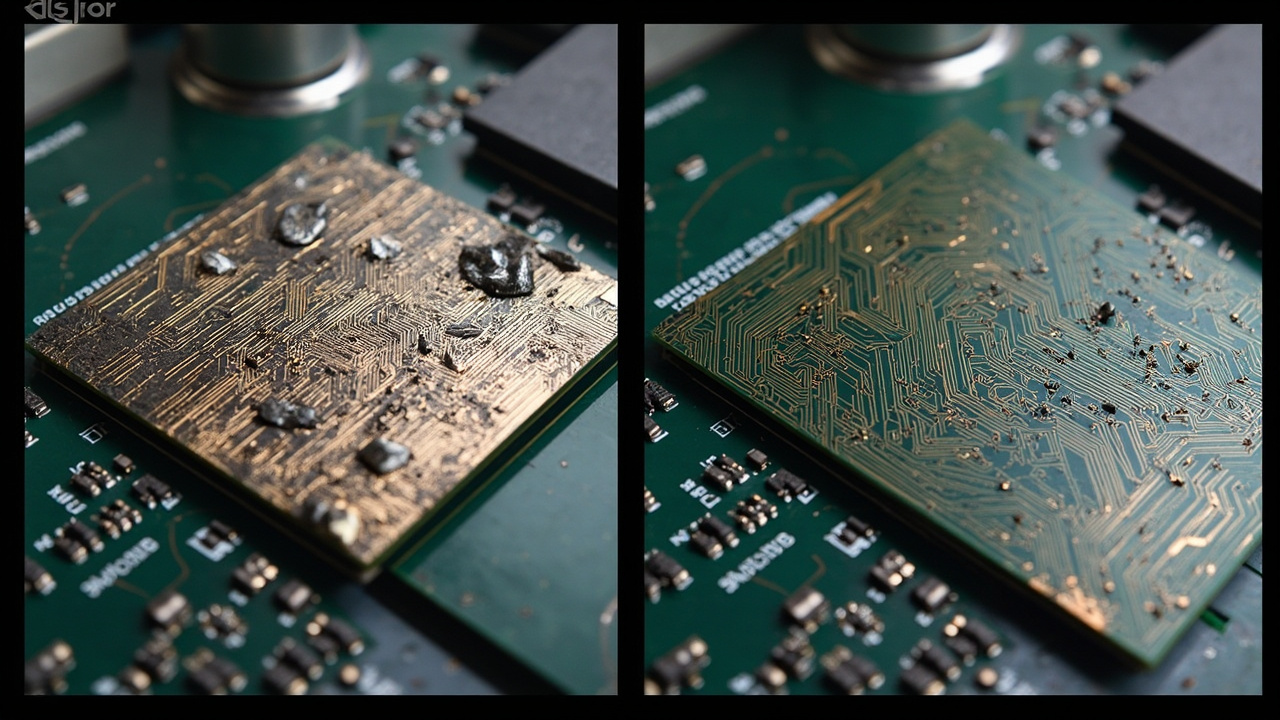
When tap water, rainwater, or contaminated floodwater contacts a circuit board, dissolved minerals begin settling on the copper pathways immediately. These deposits are conductive, meaning they create false electrical connections. Your motherboard starts communicating with itself incorrectly. Data corruption follows. More important, electrolysis begins a process where copper oxidizes and corrodes into non-conductive compounds. After 24 hours of drying in normal humidity conditions, corrosion has often advanced so far that no technician can repair the board.
Contaminated water poses an additional threat. Sewage backups in West Loop properties or gray water from basement flooding in Beverly introduces bacteria and chemicals that etch copper aggressively. The corrosion accelerates. Hard drives suffer even worse damage. The platters inside a hard drive are frictionless only when protected by a sealed chamber. Water breaks that seal. The read head crashes into the platter at thousands of RPM, destroying the magnetic coating where your data lives. Data recovery becomes a surgical procedure in a cleanroom.
Time is your enemy. Every hour you delay, corrosion advances. Rice does nothing. A hair dryer does nothing. Opening the device in a dusty room introduces more contamination and risks static discharge that zaps remaining components. Professional intervention within the first four to six hours determines whether your hardware survives.
Immediate Actions You Must Take Right Now
- Stop Power Immediately
Do not attempt to turn on the device or charge it. Powered electronics in wet conditions create short circuits that destroy components beyond repair. Unplug power cables and remove batteries if possible. If the device is a laptop or mobile device that you cannot safely disassemble, leave it powered off and unplugged.
- Stop Using It
Do not press buttons or move the device unnecessarily. Every movement can spread water deeper into the housing. Every keystroke risks static discharge. Let the device rest in its current state.
- Identify the Water Type
Determine whether the water was clean tap water, rainwater from a burst pipe, or contaminated water from a flood or sewage backup. This information helps the restoration specialist prioritize your device. Contaminated water requires more aggressive cleaning.
- Place the Device in a Container
Use a plastic container, bucket, or even a plastic bag to prevent additional moisture exposure. Do not wrap it tightly. Allow air circulation but prevent dust from settling on the components.
- Call Cornerstone Water Damage Restoration Immediately
Do not wait. We answer calls 24 hours a day and dispatch trucks within 60 minutes across Chicago. Every minute matters for data recovery and hardware survival.
Do Not Use These Ineffective Methods
The internet perpetuates dangerous myths about water-damaged electronics. People waste critical hours on methods that do not work and sometimes make damage worse.
Rice absorbs moisture from the air in normal environments, but it cannot extract water trapped inside a sealed device. The rice also sheds starch particles that contaminate the components further. Uncooked rice does nothing for a submerged motherboard.
Hair dryers introduce three problems. First, they push water deeper into the device through ports and seams. Second, heat accelerates corrosion by speeding the chemical reactions that degrade copper. Third, concentrated air flow creates static discharge that permanently damages semiconductors. A single spark from static electricity kills a microprocessor.
Silica gel desiccant packets are harmless but ineffective for severe water damage. They remove moisture from dry air surrounding the device, not water trapped inside sealed components. They provide psychological comfort and nothing more.
Oven baking and microwave heating are catastrophically dangerous. Heat warps circuit boards, melts solder joints, and can ignite components. Never apply heat to water-damaged electronics without professional guidance.
Our Professional Electronics Decontamination Process
Cornerstone’s electronics restoration process follows the industry standards outlined by the Institute of Inspection Cleaning and Restoration Certification. We use the same protocols that Apple, Microsoft, and Fortune 500 companies depend on when critical equipment fails.
Our process begins with a detailed inspection. We photograph the device externally and document the damage. We test components with specialized multimeters to identify which parts have failed and which retain function. This assessment determines whether off-site restoration or data recovery is appropriate.
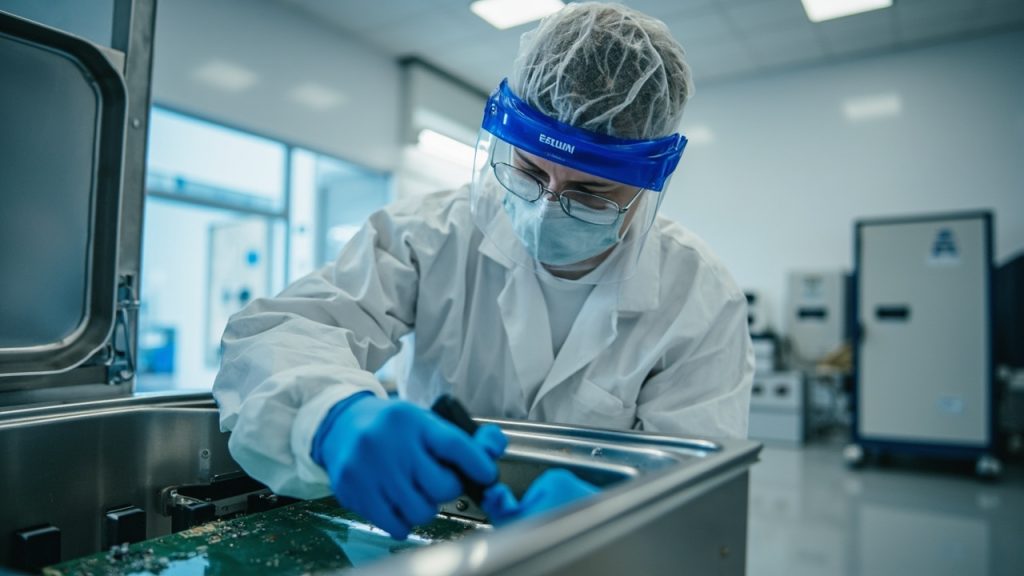
Next, we perform disassembly in our climate-controlled restoration facility. Our technicians work in a static-free environment, wearing ESD protection gear that prevents electrostatic discharge from destroying components. We carefully separate the motherboard from the housing, remove batteries, and isolate hard drives and other storage devices.
Contaminated components move to our ultrasonic cleaning system. This equipment uses high-frequency sound waves at 40 kilohertz to create microscopic bubbles that dislodge mineral deposits and contaminants from every surface of the circuit board. Standard washing cannot reach the spaces between components. Ultrasonic cleaning removes deposits from areas no brush can access.
After ultrasonic cleaning, we perform a deionized water rinse. Deionized water contains no minerals or ions, meaning it does not introduce new deposits as it dries. Standard tap water would leave behind the same mineral film we just removed. Deionized water evaporates cleanly.
The final critical step is controlled drying. We place components in a vacuum freeze dryer, also called a desiccant chamber. This equipment removes moisture without applying heat that would damage solder joints. The drying chamber maintains low humidity while slowly raising temperature in stages. This process takes 48 to 72 hours and removes every trace of moisture from inside the device.

Specialized Equipment We Use That DIY Methods Cannot Match
| Equipment | Purpose | DIY Alternative Effectiveness |
| Ultrasonic Cleaning System 40 kHz | Removes mineral deposits and corrosion from circuit board traces and component leads using cavitation bubbles | None. Hair brush or compressed air cannot reach deposits between pins |
| Vacuum Freeze Dryer | Removes moisture from sealed components and solder joints without heat damage over 48-72 hours | Hair dryer actually accelerates corrosion by applying heat |
| Deionized Water System | Provides mineral-free rinse water that does not leave new deposits as it evaporates | Tap water leaves mineral residue that increases corrosion |
| ESD-Safe Workbench with Anti-Static Mat | Prevents electrostatic discharge that permanently destroys semiconductors during handling | No static protection in home environment. One spark kills the device |
| Component Tester Multimeter | Tests voltage, resistance, and continuity to identify which components survived water damage | Visual inspection misses internal component failures |
Water Damage Categories and Their Impact on Electronics
The Chicago Building Code and IICRC standards classify water damage into three categories. Each category affects electronics differently and determines your recovery options.
Category 1 water comes from a clean source like a water main break, a burst supply line, or roof leaks. This water is non-toxic, though it still contains minerals that cause corrosion. Devices exposed to Category 1 water have the highest survival rate when treated promptly.
Category 2 water is gray water from washing machines, dishwashers, or toilet overflow without fecal matter. It contains bacteria and chemicals that accelerate corrosion. Electronics exposed to Category 2 water require more intensive cleaning. The risk of data loss increases because bacteria can etch copper pathways more aggressively than Category 1 water.
Category 3 water is black water from sewage backups, river flooding, or backed-up drains. It contains harmful bacteria, viruses, and chemicals. Sewage backup incidents in West Loop Chicago or flooded basements in neighborhoods along the Chicago River produce Category 3 water. Electronics exposed to this water face the most severe corrosion and contamination. Data recovery becomes significantly more challenging because bacterial etching can destroy the structure of storage media.
When you call Cornerstone, we determine the water category based on the flooding source. This classification guides our cleaning protocol and recovery timeline.
Data Recovery for Water Damaged Storage Devices
A hard drive submerged in water is not automatically a data loss. Modern hard drives survive water exposure better than most other components because the platters are sealed inside an airtight chamber. The real danger comes from corrosion of the circuit board that controls the drive and from water interfering with the read head mechanism.
Solid-state drives (SSDs) have an even higher survival rate because they contain no mechanical moving parts. Water damages the controller circuit, but the NAND flash memory where your data lives is resistant to water damage. Recovery is possible in most cases.
We partner with certified data recovery specialists who operate cleanroom facilities. When a hard drive or SSD arrives at our facility with water damage, we evaluate whether repair is feasible. If the controller board has failed beyond repair, we remove the drive to the cleanroom and extract the memory modules for data imaging.
This process costs less than people expect because we handle the initial triage. Many water-damaged drives require only circuit board repair, not expensive cleanroom procedures. We determine this during the inspection and save you unnecessary costs.
Commercial Electronics and Server Recovery
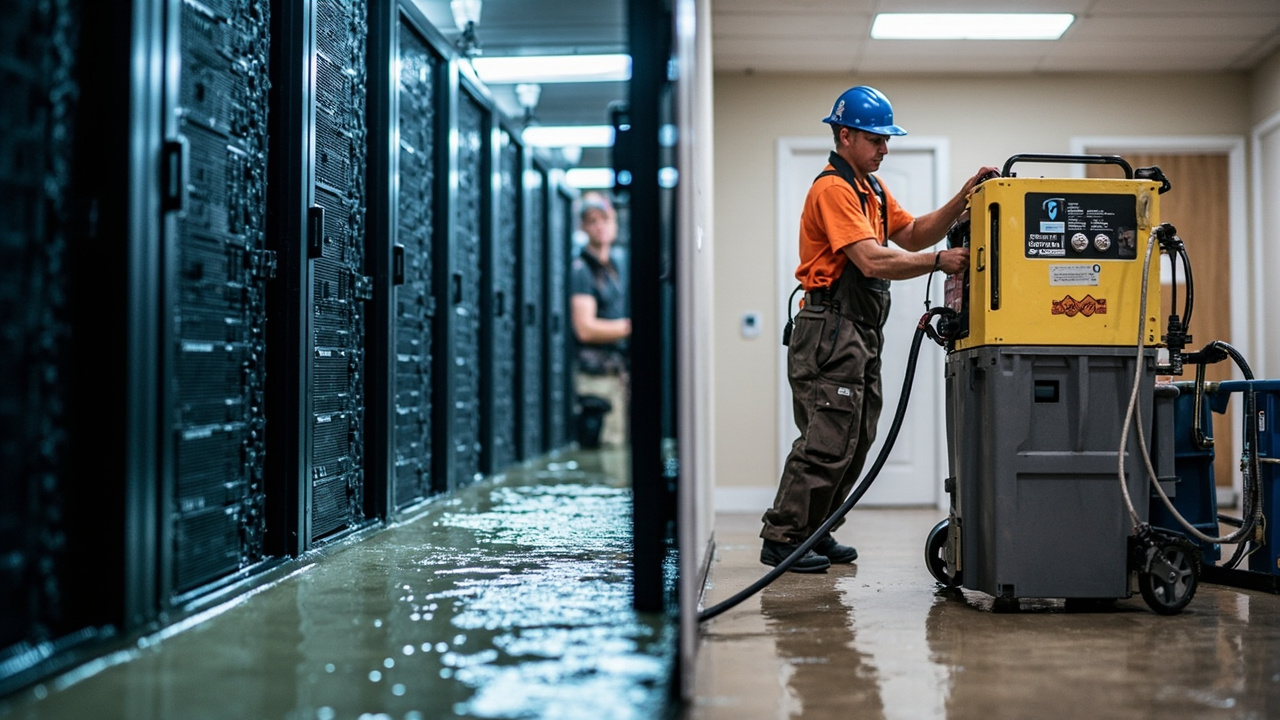
Businesses in the Loop, River North, Lincoln Park, and surrounding commercial districts rely on server rooms, point-of-sale systems, and industrial machinery. A single flooded server room can shut down operations for days or weeks, costing tens of thousands of dollars per hour in lost revenue.
Cornerstone specializes in emergency server recovery. When a burst pipe in an office building floods the equipment room, we dispatch our commercial response team within 30 minutes to the Loop or 45 minutes to outlying areas like Evanston or Schaumburg. Our team brings generators, dehumidifiers, and specialized extraction equipment to prevent further damage while we assess individual components.
We recover all classes of commercial electronics.
Servers require specialized handling because they contain high-density circuit boards and sealed hard drive arrays. We extract servers from the wet environment, photograph the damage, and transport them to our facility. Our technicians disassemble each server, clean and dry components separately, and reassemble them after verification testing.
Point-of-sale terminals and retail hardware recover through the same ultrasonic cleaning and controlled drying process, but we prioritize speed because retail operations cannot function without these systems. We often complete restoration of 5 to 10 POS terminals within 48 hours.
Industrial machinery presents unique challenges because components vary widely. Medical imaging equipment, manufacturing controls, and HVAC system circuit boards all require different treatment protocols. We consult with manufacturer support lines when necessary to ensure our restoration meets equipment specifications and does not void warranties.
Why Corrosion Prevention Requires Professional Cleaning
Understanding the chemistry of corrosion helps explain why professional restoration saves electronics that DIY methods destroy.
When water containing dissolved minerals contacts copper, a process called electrochemical corrosion begins immediately. The mineral ions facilitate electron transfer between the copper and oxygen in the water. Copper oxidizes into copper oxide, then copper sulfide, then other compounds. These compounds are not conductive. A circuit trace that was 99.9% copper is now 30% copper oxide. Electrical resistance increases. Signals fail. The device stops working.
Electrolysis accelerates this process when the circuit board is still powered. Electrical current drives the oxidation reaction faster than passive corrosion. A powered device in wet conditions corrodes ten times faster than an unpowered one. This is why the first rule is always to kill power immediately.
Mineral deposits settle into the microscopic spaces between component leads. Standard drying cannot remove these deposits because water evaporates from the surface while minerals stay behind. Isopropyl alcohol (IPA) can dissolve some mineral deposits, but it cannot reach deposits in sealed areas. Ultrasonic cleaning combined with deionized water rinsing removes deposits thoroughly because the sound waves break the chemical bonds holding minerals in place and the pure water leaves nothing behind as it evaporates.
Professional-grade corrosion inhibitors are also applied after cleaning. These compounds coat copper traces and prevent oxygen from reaching the metal. They extend the life of restored electronics by months or years compared to devices cleaned without inhibitor application.
Timeline for Electronics Restoration in Chicago
| Phase | Timeline | What Happens |
| Emergency Response | 30 to 60 minutes from call | Cornerstone truck arrives, extracts device from water, controls environment, prevents further contamination |
| Initial Assessment | 24 hours | Technician photographs damage, tests components, identifies water category, quotes restoration cost and timeline |
| Disassembly and Cleaning | 24 to 48 hours | Device disassembled, ultrasonic cleaning, deionized rinse, corrosion inhibitor application |
| Controlled Drying | 48 to 72 hours | Components desiccant dried to remove all internal moisture |
| Reassembly and Testing | 24 hours | Device reassembled, powered on in controlled environment, functionality testing performed |
| Total Restoration Time | 5 to 7 days typical | Device returned functional with data intact, ready for business use or personal use |
Data recovery for hard drives takes longer. Cleanroom procedures add 3 to 5 days to the timeline. Complex recoveries on corroded drives may require 7 to 10 days. We communicate throughout the process so you understand exactly where your device stands.
Insurance Coverage for Water Damaged Electronics
Your homeowners or business insurance policy covers water-damaged electronics under specific conditions. Understanding those conditions prevents claim denial and speeds reimbursement.
Most homeowners policies cover electronics damage from sudden, accidental water events. A burst pipe that floods your home is covered. A sewage backup caused by a city sewer failure is typically covered. However, damage from negligence or gradual water intrusion is often excluded. A basement that floods because you failed to maintain your sump pump may be denied.
Business policies vary widely. We help you navigate the claim process by providing detailed damage documentation, component-level failure reports, and repair invoices that insurance companies require. We also communicate directly with adjusters to answer technical questions about why restoration costs what it does.
Documentation matters enormously. Do not attempt the claim without professional help. We photograph damage, identify each component, explain the restoration process, and provide receipts that satisfy insurance requirements. This support increases your chance of full reimbursement.
We also handle situations where insurance coverage is ambiguous. If your policy does not clearly cover electronics, we provide expert testimony and documentation that helps you argue your case. We have successfully recovered thousands of dollars for customers in West Loop, Logan Square, and Lakeview through thorough claims support.
Choosing Between On-Site and Off-Site Restoration
Not every water-damaged device needs to leave your location. Some repairs can occur in place. Understanding when on-site restoration makes sense helps you decide the fastest path to recovery.
Simple water extraction and environmental control happens on-site. If your server room flooded, we arrive with industrial dehumidifiers, extraction equipment, and temperature monitoring to stabilize the environment. This prevents mold growth and stops additional water from seeping into devices.
Component-level cleaning and restoration requires off-site work at our facility. Ultrasonic cleaning, controlled drying, and detailed testing cannot occur safely in flooded environments. We transport devices to our climate-controlled workshop where we control humidity, temperature, and contamination.
This decision depends on device value and urgency. A flooded laptop goes off-site for restoration. A submerged server worth $40,000 might require on-site stabilization plus off-site component restoration. We evaluate each situation and recommend the approach that saves the most hardware while respecting your timeline.
Electronics Restoration Services Across Chicago Neighborhoods
Cornerstone responds to water emergencies across Chicago and the surrounding metro areas. Our coverage includes downtown Chicago plus residential neighborhoods in all directions.
We serve Lincoln Park and Lakeview, where historic brownstones and newer residential buildings both suffer from burst pipes during harsh Chicago winters. We respond to Logan Square and West Loop, where combined sewer systems back up during spring rains, flooding basements and business spaces. We serve Beverly, Hyde Park, Rogers Park, and Oak Park with the same 24/7 emergency response that businesses in the Loop depend on.
Our service area extends beyond Chicago to Joliet, Bolingbrook, Naperville, Aurora, Evanston, Skokie, Arlington Heights, and Schaumburg. We have warehouse space and technicians positioned throughout the region so response times remain under 60 minutes everywhere we serve.
The Chicago Building Code imposes specific requirements for electronics restoration in commercial spaces. We maintain compliance with all city regulations and coordinate with building management when restorations occur in occupied structures.
Frequently Asked Questions
How quickly does corrosion form on circuit boards after water damage?
Corrosion begins immediately. Within 6 hours, visible oxidation appears on copper traces. Within 24 hours, corrosion has often advanced far enough that standard repair becomes impossible. This is why response time matters so much. Every hour you delay reduces the chance of successful recovery.
Can you recover data from a hard drive that is completely submerged?
Yes. Hard drives are sealed units, so the platters and read head are protected from direct water contact. We repair the controller circuit board through standard restoration techniques or extract the drive to a cleanroom for data imaging. Success rates exceed 90% for submerged drives that reach us within 48 hours.
What is the cost of professional electronics restoration compared to replacement?
A laptop replacement costs 800 to 2000 dollars. Professional restoration typically runs 300 to 600 dollars. A server replacement costs 3000 to 8000 dollars. Restoration runs 600 to 1500 dollars. We always provide a detailed quote after the initial assessment so you can compare costs to replacement before deciding.
Does your restoration process void manufacturer warranties?
No. We follow manufacturer specifications for disassembly, cleaning, and reassembly. We use only components approved for each device type. Warranties remain valid after our restoration. We provide documentation of all work performed so manufacturer support knows the device history.
Can I use the device immediately after restoration, or does it need time to stabilize?
Devices are fully operational immediately after restoration. We perform extensive testing before returning your equipment. However, we recommend giving components a few hours to reach ambient temperature if the device underwent refrigerated drying. This prevents condensation formation inside sealed spaces.
Do you offer on-site server room recovery during flooding events?
Yes. We dispatch emergency response teams that extract water, establish dehumidification, and prevent additional damage while devices are transported to our facility for restoration. For the Loop, we arrive in under 60 minutes. Our team stabilizes the environment so no additional harm occurs.
Contact Cornerstone Today for Emergency Electronics Recovery
Your water-damaged electronics can be saved. Every hour matters. Call Cornerstone Water Damage Restoration right now at our 24/7 emergency line. Describe what happened, where the device is now, and what you need to recover. Our dispatcher connects you with a technician who provides immediate guidance while dispatch sends a truck to your location.
We serve the entire Chicago metro area, from the Loop to Joliet, from Evanston to Tinley Park. We arrive in under 60 minutes, assess your device within 24 hours, and return it restored within 5 to 7 days in most cases.
Do not attempt DIY drying. Do not use rice or hair dryers. Do not open the device. Stop power immediately, place the device in a safe location, and call Cornerstone now. We handle the restoration while you handle your insurance claim. Our direct partnership with your insurance company means reimbursement moves faster and coverage issues get resolved professionally.
Whether you need emergency emergency water damage cleanup in Chicago for your home, flooded basement cleanup in Lakeview, or commercial server recovery in the Loop, Cornerstone has the expertise and equipment to save your hardware and data.
Call now. Every minute your device sits wet, corrosion advances. Let our 15 years of Chicago water damage restoration experience work for you.
{
“@context”: “https://schema.org”,
“@type”: “BlogPosting”,
“headline”: “Water Damaged Electronics Restoration in Chicago How to Save Critical Hardware and Data”,
“description”: “Expert electronics restoration in Chicago. Save water-damaged laptops, servers, and hard drives with our 24/7 emergency response and data recovery services.”,
“wordCount”: 3374,
“datePublished”: “2026-03-18T06:14:00.000Z”,
“dateModified”: “2026-03-18T06:14:00.000Z”,
“inLanguage”: “en-US”,
“mainEntityOfPage”: {
“@type”: “WebPage”,
“@id”: “https://cornerstonewaterdamagerestorationchicago.com”
},
“publisher”: {
“@type”: “LocalBusiness”,
“name”: “Cornerstone Water Damage Restoration Chicago”,
“url”: “https://cornerstonewaterdamagerestorationchicago.com”
},
“author”: {
“@type”: “Organization”,
“name”: “Cornerstone Water Damage Restoration Chicago”,
“url”: “https://cornerstonewaterdamagerestorationchicago.com”
},
“image”: {
“@type”: “ImageObject”,
“url”: “https://cornerstonewaterdamagerestorationchicago.com/wp-content/uploads/2026/03/how-to-save-electronics-and-data-after-a-major-loo-1.jpg”
}
}
{
“@context”: “https://schema.org”,
“@type”: “LocalBusiness”,
“name”: “Cornerstone Water Damage Restoration Chicago”,
“url”: “https://cornerstonewaterdamagerestorationchicago.com”,
“address”: {
“@type”: “PostalAddress”,
“addressLocality”: “Chicago”
},
“areaServed”: {
“@type”: “City”,
“name”: “Chicago”
}
}
{
“@context”: “https://schema.org”,
“@type”: “FAQPage”,
“mainEntity”: [
{
“@type”: “Question”,
“name”: “How quickly does corrosion form on circuit boards after water damage?”,
“acceptedAnswer”: {
“@type”: “Answer”,
“text”: “Corrosion begins immediately. Within 6 hours, visible oxidation appears on copper traces. Within 24 hours, corrosion has often advanced far enough that standard repair becomes impossible. This is why response time matters so much. Every hour you delay reduces the chance of successful recovery.”
}
},
{
“@type”: “Question”,
“name”: “Can you recover data from a hard drive that is completely submerged?”,
“acceptedAnswer”: {
“@type”: “Answer”,
“text”: “Yes. Hard drives are sealed units, so the platters and read head are protected from direct water contact. We repair the controller circuit board through standard restoration techniques or extract the drive to a cleanroom for data imaging. Success rates exceed 90% for submerged drives that reach us within 48 hours.”
}
},
{
“@type”: “Question”,
“name”: “What is the cost of professional electronics restoration compared to replacement?”,
“acceptedAnswer”: {
“@type”: “Answer”,
“text”: “A laptop replacement costs 800 to 2000 dollars. Professional restoration typically runs 300 to 600 dollars. A server replacement costs 3000 to 8000 dollars. Restoration runs 600 to 1500 dollars. We always provide a detailed quote after the initial assessment so you can compare costs to replacement before deciding.”
}
},
{
“@type”: “Question”,
“name”: “Does your restoration process void manufacturer warranties?”,
“acceptedAnswer”: {
“@type”: “Answer”,
“text”: “No. We follow manufacturer specifications for disassembly, cleaning, and reassembly. We use only components approved for each device type. Warranties remain valid after our restoration. We provide documentation of all work performed so manufacturer support knows the device history.”
}
},
{
“@type”: “Question”,
“name”: “Can I use the device immediately after restoration, or does it need time to stabilize?”,
“acceptedAnswer”: {
“@type”: “Answer”,
“text”: “Devices are fully operational immediately after restoration. We perform extensive testing before returning your equipment. However, we recommend giving components a few hours to reach ambient temperature if the device underwent refrigerated drying. This prevents condensation formation inside sealed spaces.”
}
},
{
“@type”: “Question”,
“name”: “Do you offer on-site server room recovery during flooding events?”,
“acceptedAnswer”: {
“@type”: “Answer”,
“text”: “Yes. We dispatch emergency response teams that extract water, establish dehumidification, and prevent additional damage while devices are transported to our facility for restoration. For the Loop, we arrive in under 60 minutes. Our team stabilizes the environment so no additional harm occurs.”
}
}
]
}
{
“@context”: “https://schema.org”,
“@type”: “HowTo”,
“name”: “How to Protect Water Damaged Electronics Before Professional Help Arrives”,
“step”: [
{
“@type”: “HowToStep”,
“position”: 1,
“name”: “Stop Power Immediately”,
“text”: “Do not attempt to turn on the device or charge it. Powered electronics in wet conditions create short circuits that destroy components beyond repair. Unplug power cables and remove batteries if possible. If the device is a laptop or mobile device that you cannot safely disassemble, leave it powered off and unplugged.”
},
{
“@type”: “HowToStep”,
“position”: 2,
“name”: “Stop Using It”,
“text”: “Do not press buttons or move the device unnecessarily. Every movement can spread water deeper into the housing. Every keystroke risks static discharge. Let the device rest in its current state.”
},
{
“@type”: “HowToStep”,
“position”: 3,
“name”: “Identify the Water Type”,
“text”: “Determine whether the water was clean tap water, rainwater from a burst pipe, or contaminated water from a flood or sewage backup. This information helps the restoration specialist prioritize your device. Contaminated water requires more aggressive cleaning.”
},
{
“@type”: “HowToStep”,
“position”: 4,
“name”: “Place the Device in a Container”,
“text”: “Use a plastic container, bucket, or even a plastic bag to prevent additional moisture exposure. Do not wrap it tightly. Allow air circulation but prevent dust from settling on the components.”
},
{
“@type”: “HowToStep”,
“position”: 5,
“name”: “Call Cornerstone Water Damage Restoration Immediately”,
“text”: “Do not wait. We answer calls 24 hours a day and dispatch trucks within 60 minutes across Chicago. Every minute matters for data recovery and hardware survival.”
}
],
“image”: “https://cornerstonewaterdamagerestorationchicago.com/wp-content/uploads/2026/03/how-to-save-electronics-and-data-after-a-major-loo-1.jpg”
}
{
“@context”: “https://schema.org”,
“@type”: “BreadcrumbList”,
“itemListElement”: [
{
“@type”: “ListItem”,
“position”: 1,
“name”: “Home”,
“item”: “https://cornerstonewaterdamagerestorationchicago.com”
},
{
“@type”: “ListItem”,
“position”: 2,
“name”: “Blog”,
“item”: “https://cornerstonewaterdamagerestorationchicago.com/blog”
},
{
“@type”: “ListItem”,
“position”: 3,
“name”: “Water Damaged Electronics Restoration in Chicago How to Save Critical Hardware and Data”
}
]
}
{
“@context”: “https://schema.org”,
“@type”: “Service”,
“serviceType”: “Water Damage Restoration”,
“provider”: {
“@type”: “LocalBusiness”,
“name”: “Cornerstone Water Damage Restoration Chicago”,
“url”: “https://cornerstonewaterdamagerestorationchicago.com”
},
“areaServed”: {
“@type”: “City”,
“name”: “Chicago”
},
“description”: “Expert electronics restoration in Chicago. Save water-damaged laptops, servers, and hard drives with our 24/7 emergency response and data recovery services.”
}